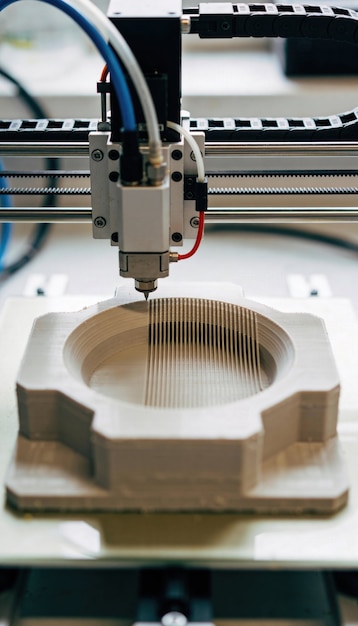
A clogged nozzle stops a print cold. A worn nozzle just makes every print a little worse than the last one, until you’re chasing stringing or bad dimensions with a profile that used to work fine. The two get lumped together because both end with material not coming out right, but they have almost nothing else in common, and the fix for one does nothing for the other.
A clog blocks the nozzle. Wear erodes it.
A clog is a plug: a fleck of burnt filament, dust picked up from an open spool, or debris sitting in the melt zone or right at the orifice, physically blocking material from getting through. It tends to show up fast and all at once, sometimes mid-print, sometimes the moment you start a new one, and a cold pull or a cleaning needle usually clears it in a few minutes, because the nozzle’s metal is intact underneath the blockage.
Wear works the opposite way. The nozzle itself is gradually losing material, at the tip, at the orifice, or both, and there’s nothing to pull out because nothing is stuck. A cold pull won’t fix a worn nozzle. The metal that’s supposed to be there is gone, not blocked.
What’s actually being worn away
E3D put this under a microscope in a controlled test: a brand new brass 0.40 mm nozzle printed 250 g of ColorFabb XT-CF20, a carbon-fiber-filled filament, then got cut in half for inspection. The tip had worn down and shortened, rounding over into a dome instead of a flat. The inside of the orifice had opened up unevenly, worst in the middle, leaving what E3D described as an ovoid wear cavity rather than a clean round hole. A control nozzle that had printed many kilos of plain filament over several months, with no abrasive fillers, showed no observable wear at all. E3D ran the carbon fiber test twice to confirm it wasn’t a fluke, and got the same result both times.
What causes it
Carbon fiber and glass fiber fills are the obvious culprits, along with wood-filled and metal-filled filaments, and E3D’s own conclusion was blunt: after just 250 g of carbon fiber filament, about a third of a spool, the brass nozzle was wrecked. It would still print, but the results would be erratic.
Glow-in-the-dark filament has a reputation for being just as bad, thanks to the strontium aluminate that makes it glow. CNC Kitchen tested that claim directly and got a more complicated answer: 330 g of one glow-in-the-dark PLA produced no measurable change in orifice diameter at all. Not every glow filament wears a nozzle at the same rate. Particle size and shape in the specific pigment used seem to matter as much as the fact that it glows.
The part worth knowing even if you never touch a fiber-filled spool: CNC Kitchen’s whole investigation started because a nozzle that had only ever printed plain PLA, PETG, and ABS, for what its tester estimated at over 1,000 hours, still showed real wear marks under a macro lens. Pigments like the titanium dioxide in white filament add a small amount of abrasion too. Ordinary filament won’t wreck a nozzle in a single spool the way carbon fiber can, but “only prints standard materials” isn’t a lifetime guarantee either.
The signs it’s wear, not a clog
Wear rarely announces itself. It shows up as a slow drift, not a sudden stop:
- Stringing creeping back in on a profile that used to print clean, with nothing else changed.
- Small holes or gaps appearing in outer walls at settings that used to seal completely.
- First layer height quietly increasing over the course of a long, abrasive print, because the tip itself is getting shorter as it wears.
- Fine details and sharp corners rounding off or going soft, even though the model file hasn’t changed.
- Overhangs getting worse than they used to, for no reason you changed in the slicer.
None of these alone proves a worn nozzle. But if several of them show up together on a printer that’s been steadily fed carbon fiber, glass fiber, or another filled filament, and nothing in your settings or your regular filament changed, wear is the more likely explanation than a fresh setup problem.
How fast it actually happens
E3D’s numbers are the clearest reference point: 250 g of carbon-fiber-filled filament wrecked a standard brass nozzle in their own test. Stainless steel does better, wearing at roughly 30 percent of brass’s rate, but it still degrades to a similar state within a single spool of abrasive material.
CNC Kitchen’s real-world test tells a slightly different story about where the wear shows up first. Printing 360 g of leftover carbon-fiber PETG through a new brass nozzle barely changed the orifice diameter, but it wore away most of the tip, rounding off the edges and visibly shortening the nozzle as the print went on. Print quality held up better than expected through most of that test: more stringing, a few holes, weaker overhangs, but nothing like the mess you’d get from a nozzle simulated at double its rated diameter. The real cliff, by that account, comes once wear reaches the internal taper inside the nozzle. Past that point the orifice opens up fast, and quality drops off a lot harder than the gradual decline before it.
Check it yourself before you replace anything
The most direct check is a cold pull: heat the nozzle, feed a bit of filament through, let it cool most of the way, then pull. The hardened plastic imprint shows you the inside of the orifice, including any unevenness, rounding, or widening, and doubles as the standard fix if what you actually have is a clog. Here’s how to do a cold pull correctly without gouging the hotend.
A simpler, less precise option is a set of calipers or a pin gauge on a nozzle you’ve removed and let cool completely. A nominal 0.40 mm nozzle measuring noticeably larger than that, especially if the increase is uneven around the hole, is a nozzle that’s worn past being trustworthy. A macro lens or a strong loupe pointed at the tip works too. Look for a tip that’s gone from a sharp, flat edge to a rounded dome, or an orifice that looks oval instead of round.
When to actually replace it
If your printing is mostly PLA, PETG, or ABS with no fillers, brass is fine, and it’s cheap enough that replacing it on a normal maintenance schedule is a non-issue. The moment abrasive filaments become a regular part of what you print, brass stops being the economical choice. E3D ran 2.5 kg of carbon- and glass-filled material, ten times the amount that wrecked their test brass nozzle, through one of their hardened steel nozzles and measured zero observable wear afterward. That’s not a small improvement, and it changes the math: a nozzle that costs a few dollars more than brass, but doesn’t need replacing every spool, is the cheaper option once you count the wasted prints a degrading nozzle produces along the way.
There’s no single gram count or hour count that applies to every nozzle, brass or hardened, because tolerances and quality vary by manufacturer. A cheap, unbranded nozzle can already have a chamfered orifice edge or a rough interior finish straight out of the bag, which produces some of the same symptoms as wear before it’s printed anything abrasive at all. Treat the print-quality signs above as the real trigger, not a fixed budget of grams you’re allowed to print before swapping parts.
If what you’re actually seeing looks more like inconsistent flow than a nozzle that’s changed shape, start with telling under-extrusion and over-extrusion apart before assuming the nozzle itself is the cause.